Account Discovery
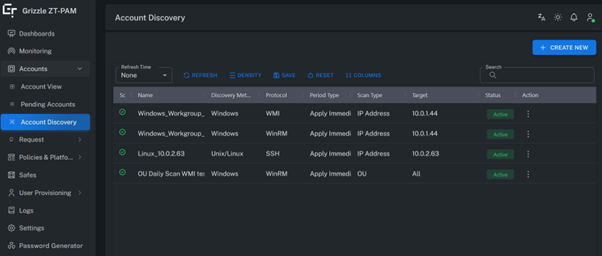
This page lists all previously created discovery tasks and their current statuses.
Administrators can create new discovery jobs, monitor existing ones, or edit configurations from this interface.
Create Discovery
Used to create a new Account Discovery task.
The following steps are used to configure the discovery process:
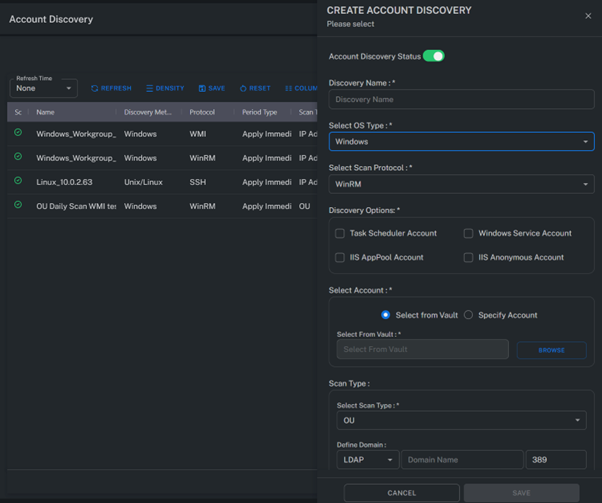
Discovery Name
A user-defined alias that identifies the discovery task within the list.
Select OS Type
Select the operating system type where the discovery will be performed.
Supported types:
- Windows
- Unix / Linux
Select Scan Protocol
Choose the protocol that will be used during the discovery process.
Supported protocols:
- WinRM
- WMI
Discovery Options
Defines which dependency account scans will be included.
If this option is not selected, only local or domain accounts will be discovered.
Select Account
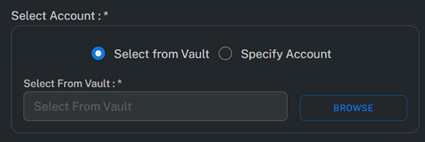
Specifies the credentials to be used during the discovery process.
Two methods are supported:
Select From Vault
Select an account directly from the Vault to be used for discovery.
Specify Account
Manually enter the account credentials to be used during the discovery process.
Scan Type
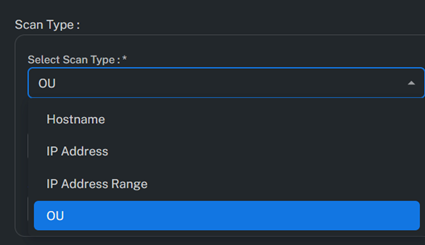
Defines how the target systems will be identified during discovery:
- OU: Performs discovery on an LDAP Organizational Unit.
- Hostname: Initiates discovery on a specific hostname.
- IP Address: Performs discovery on a single IP address.
- IP Address Range: Defines a range of IP addresses for multi-system discovery.
CPM Scanner
Specifies which Password Manager (CPM) server will execute the discovery task.
If multiple CPM servers are available, select the one responsible for this task.
Scan Period
Defines the scheduling and frequency of the discovery task.
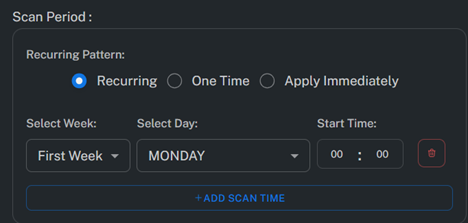
Recurring
Executes the discovery job periodically at defined intervals (e.g., every 24 hours or weekly).
One Time
Schedules the discovery to run only once at a specific date and time.
Apply Immediately
Runs the discovery task immediately after it is created.
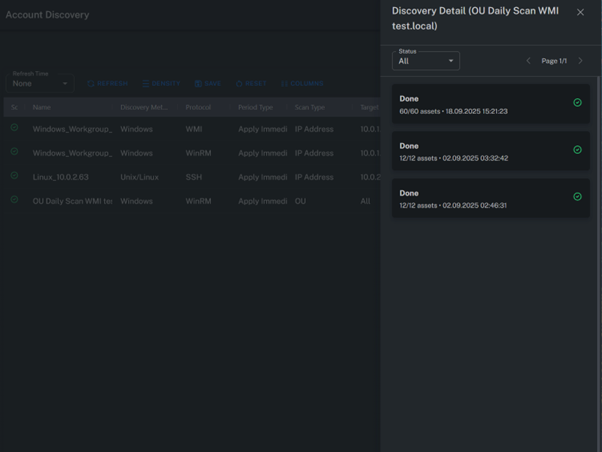
Discovery Detail
Displays detailed information for each discovery task, including task name, scan type, protocol used, last execution time, and result status.
Action
The following actions can be performed on discovery tasks:
- Run: Starts the task.
- Stop: Stops a running task.
- Edit: Modifies task parameters.
- Delete: Removes the task from the system.
Summary
Account Discovery is the mechanism that automatically identifies existing accounts across the infrastructure.
Through this page, administrators can schedule, stop, restart, or modify discovery tasks.
Discovery results can be reviewed under the Pending Accounts section before being verified and added to the Vault.