Application Login
Grizzle ZT-PAM is a web-based application.
It does not require any client installation and can be accessed directly through standard web browsers.
Recommended browsers:
- Google Chrome
- Microsoft Edge
- Mozilla Firefox
Access is provided through the web address specified during installation:
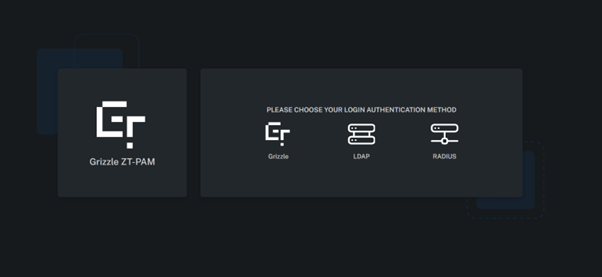
Login Methods
The Login screen supports multiple authentication methods:
- Grizzle Authentication (Local accounts)
- LDAP / Active Directory
- RADIUS
These methods allow flexible use of both on-premises directory services and local user management.
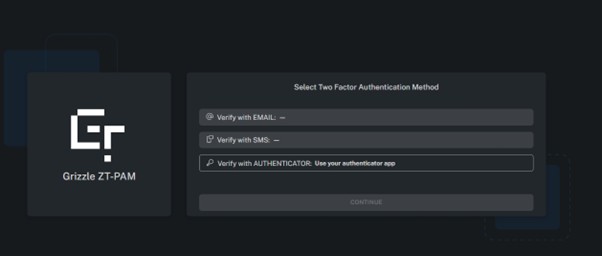
MFA (Multi-Factor Authentication) Methods
During login, MFA (Multi-Factor Authentication) can be used as an additional layer of security.
Supported methods:
- Authenticator
- SMS
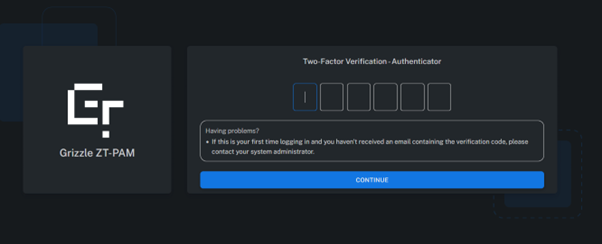
ZT-PAM includes built-in support for Authenticator-based login mechanisms.
Users can verify their identity using the following applications:
- Google Authenticator
- Microsoft Authenticator
Summary
Grizzle ZT-PAM provides a modern and flexible access infrastructure that ensures secure user authentication.
System access can be achieved through both enterprise directory services (LDAP / AD) and local accounts.
Additionally, MFA support adds an extra layer of protection to every session.