Safes
A Safe is a logical container created within the Grizzle ZT-PAM Vault structure.
Each Safe functions as a dedicated “mini vault” for a specific system group, application, or department.
This design enables organizations to implement modular, secure, and manageable access control.
A Safe is one of the fundamental building blocks of Grizzle ZT-PAM in terms of both security and administration.
Each Safe maintains its own policy set, user authorizations, and audit trail.
Core Features of a Safe
- Each Safe is governed by its own Access Control List (ACL).
- Permissions can be assigned based on users, groups, etc.
(e.g., View, Retrieve, Update, Add, Delete, Manage Safe Members). - CPM (Central Password Manager) can apply different password policies per Safe (e.g., rotation interval, complexity, aging).
- PSM (Privileged Session Manager) can initiate secure sessions using accounts defined within a Safe.
- Each Safe maintains its own access and audit logs for enhanced traceability.
The Safe structure allows organizations to segment access risks and control system groups in isolated environments.
Safe Permissions
The table below lists all permissions assignable at the Safe level.
These permissions determine the user’s access level and allowed operations within the Safe.
| Parameter Name | Description |
|---|---|
| List Accounts | Permission to list accounts. |
| Use Accounts | Permission to use accounts for establishing remote connections. |
| Retrieve Accounts | Permission to view or copy account passwords. |
| Add Accounts | Permission to create new accounts. |
| Update Account Properties | Permission to modify account settings (e.g., reconcile, logon account) except for renaming or password changes. |
| Update Account Content | Permission to change account passwords. |
| Initiate CPM Account Management Operations | Allows execution of Change, Verify, or Reconcile operations on accounts. |
| Specify Next Account Content | Allows users to manually enter a new password when performing a Change action in the Account View screen. |
| Rename Accounts | Permission to rename accounts. |
| Delete Accounts | Permission to delete accounts. |
| Unlock Accounts | Permission to unlock accounts. (Requires Check-In/Out to be enabled in Master Policy.) |
| Manage Safe | Permission to edit Safe settings (opens the Safe edit screen only). |
| Manage Safe Member | Permission to add users to a Safe or edit existing Safe permissions. |
| View Audit Log | Permission to view audit logs for the Safe. |
| View Safe Members | Permission to view users who have access to the Safe. |
| Confirm Request Level 1 | Approval permission for Level 1 access requests to accounts within the Safe. |
| Confirm Request Level 2 | Approval permission for Level 2 access requests to accounts within the Safe. |
| Access Safe Without Confirmation | Allows access to Safe accounts without requiring approval from authorized users. |
| Move Accounts Change Safe Or Platform | Permission to move accounts between Safes or change their platform association. |
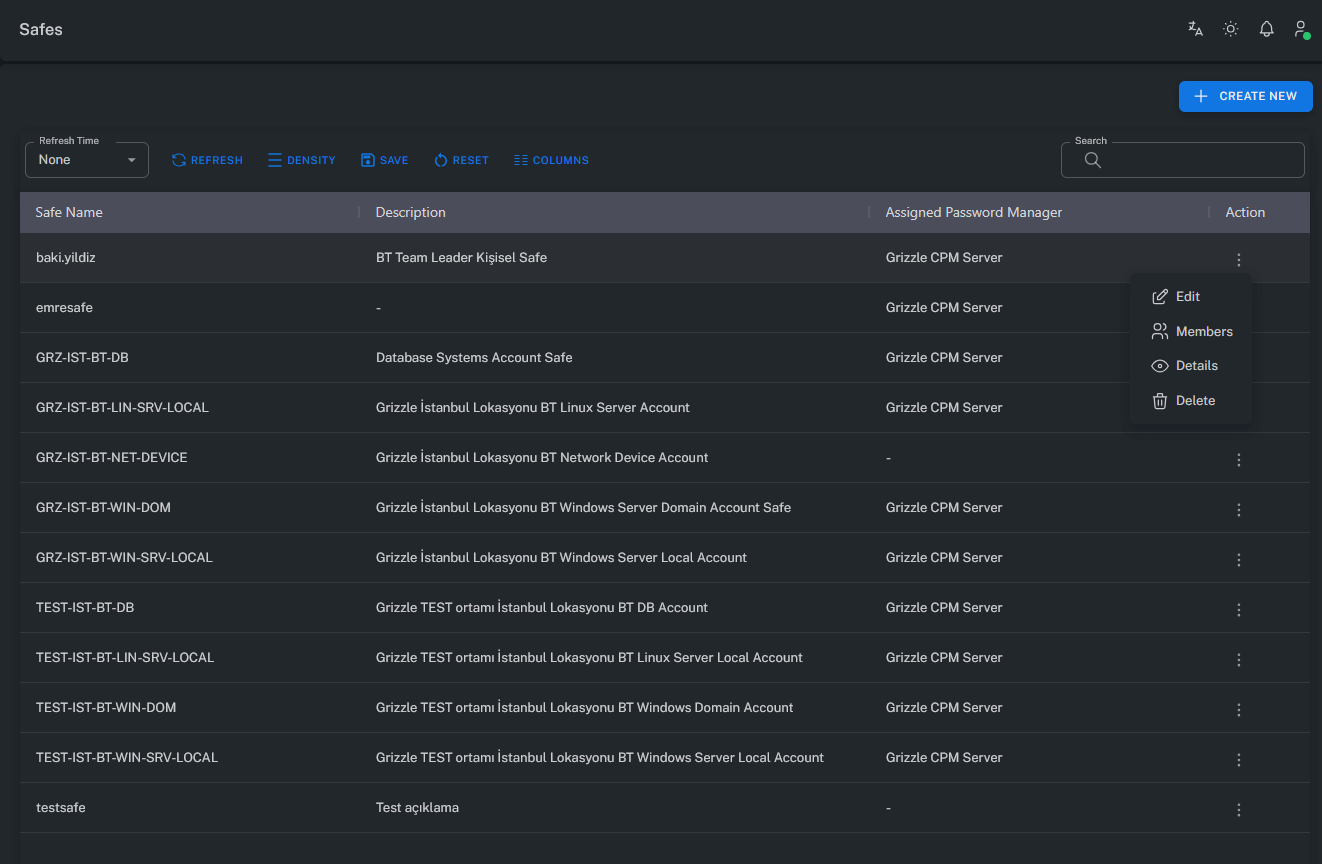
Note: A user can only see the Safes for which they have permissions.
Safes not visible on the screen are outside the user’s access scope.
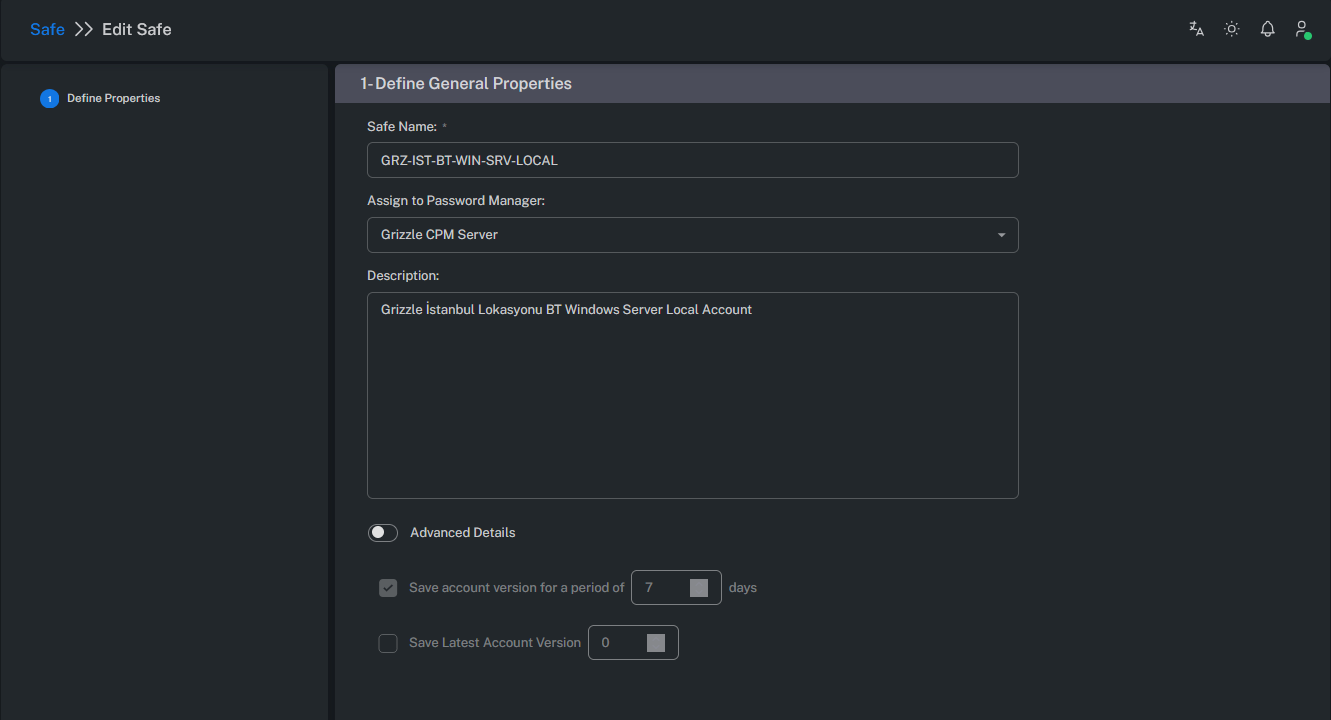
Create / Edit Safe
Safe creation or modification can only be performed by users with the appropriate permissions.
Manage Safe Members
The Manage Safe Member section allows administrators to manage user and group permissions within a Safe.
Users can be added, removed, or have their permissions modified from this screen.
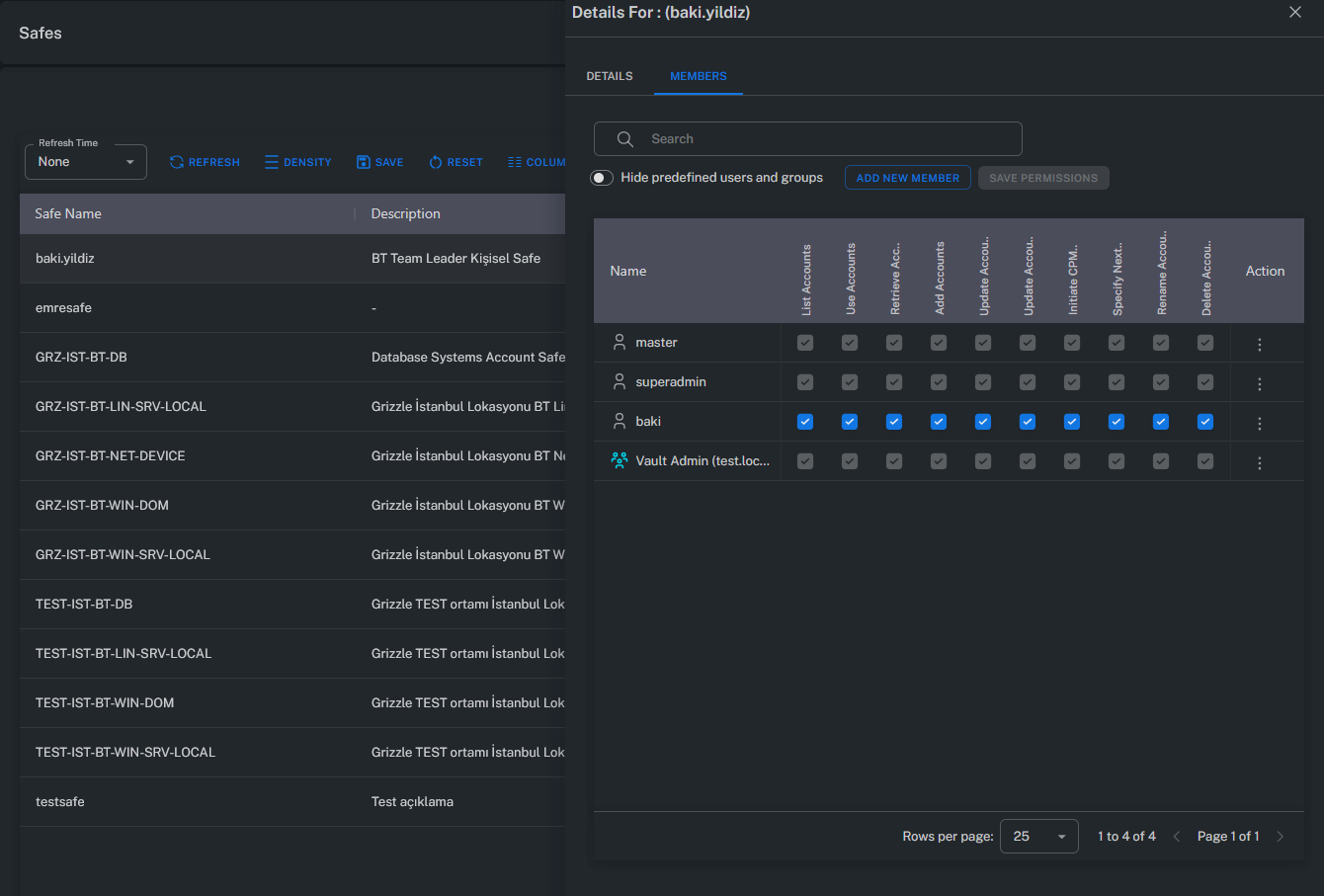
Example: In a Safe, only certain users may have the “Retrieve Account” permission, while others are restricted to “Use Account” only.
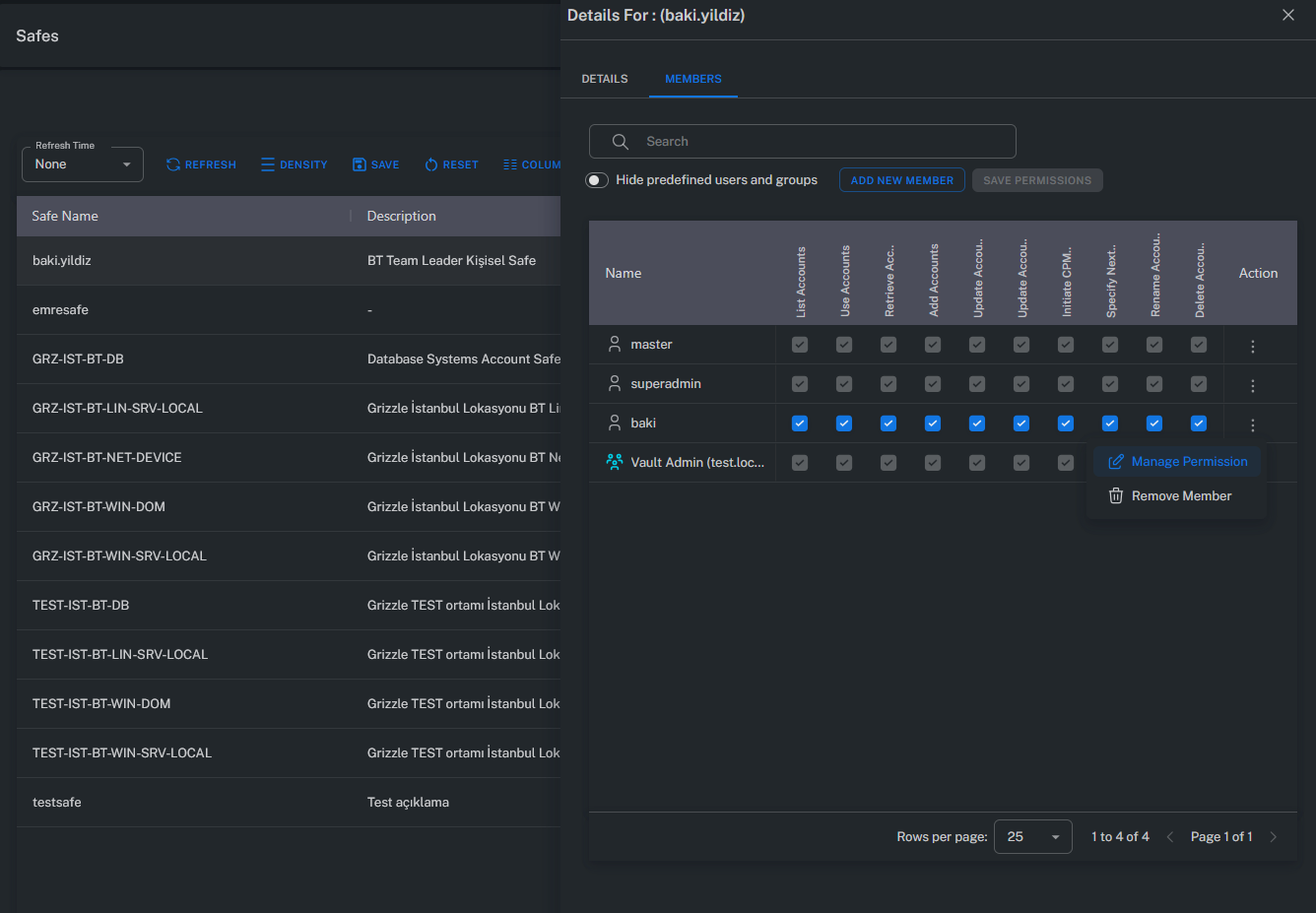
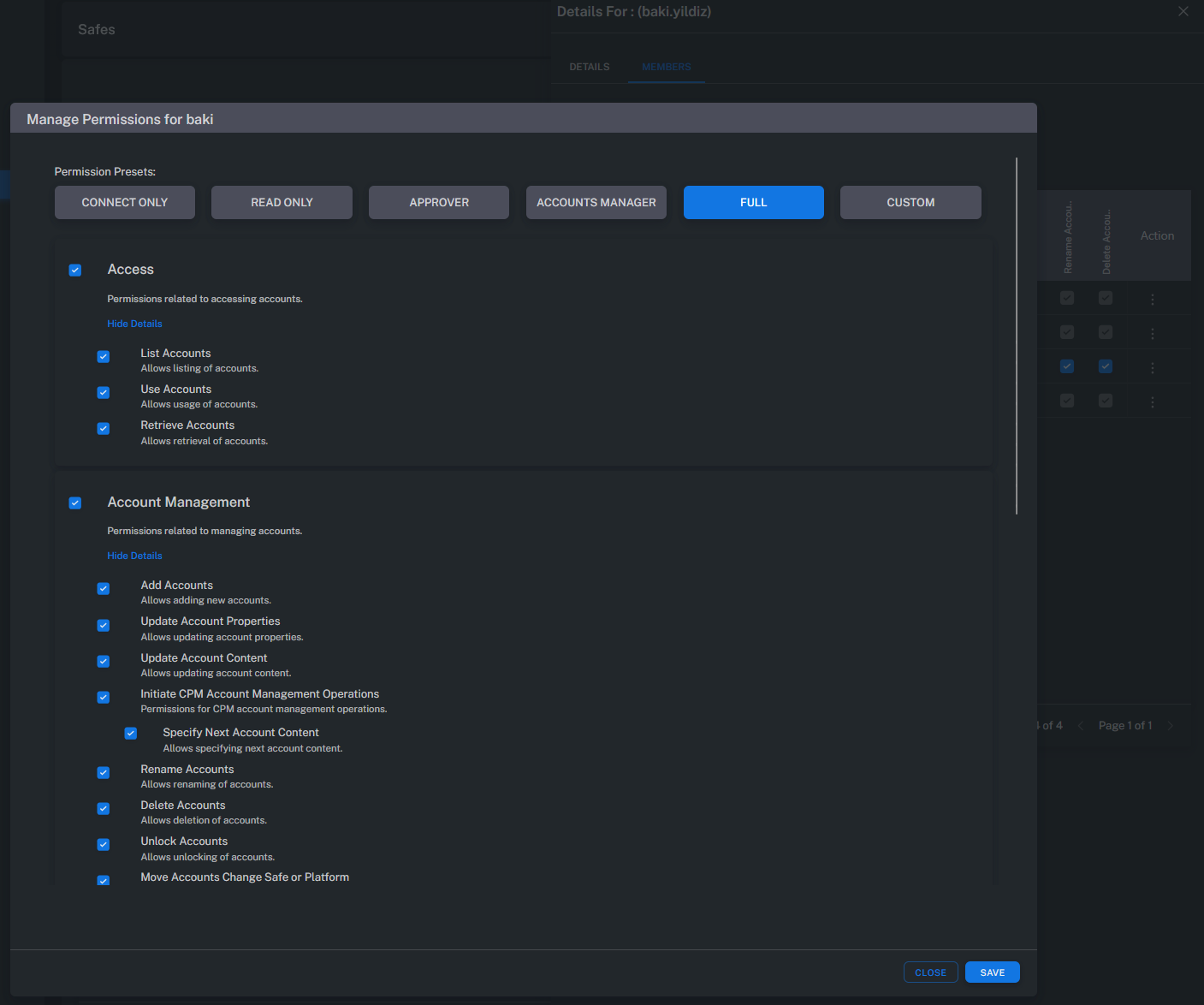
Manage Permissions
The Manage Permissions screen displays the permission levels of all users and groups with access to a Safe.
This allows administrators to review and modify permissions from a centralized interface.
Summary
Safes form the foundational management layer for access control in the Grizzle ZT-PAM architecture.
Each Safe isolates system resources, managing access rights, audit records, and policies independently.
This structure enables:
- Fine-grained permission management
- Safe-specific audit trail retention
- Independent enforcement of access policies
- Simplified security and compliance administration