Groups
The Groups page displays and manages both Internal (local) and External user groups defined within Grizzle ZT-PAM.
This structure allows users to be collectively assigned access policies, roles, and permissions.
General Overview
Both Internal and External groups are listed.
The Assigned Users field displays the number of members and their detailed information.
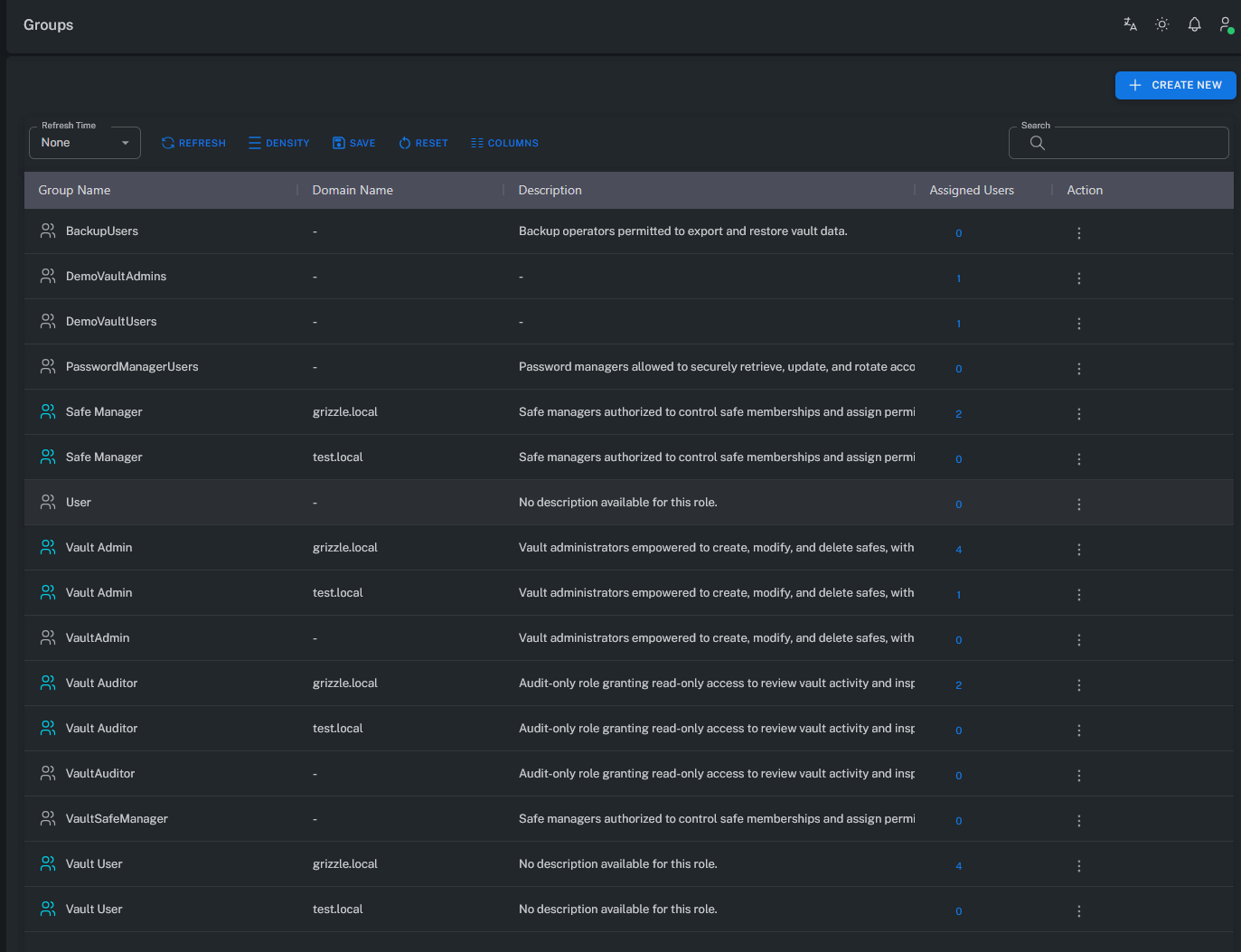
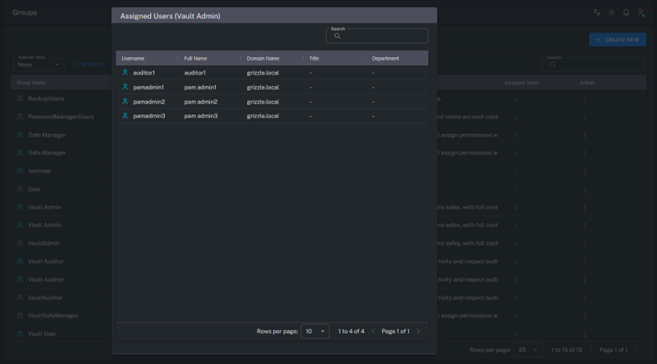
Note: External groups are typically synchronized from Active Directory or LDAP, while internal groups are created directly within Grizzle ZT-PAM.
Create User Group
Used to create a new Local Group within the system.
Roles defined in the platform can be assigned to these groups.
A user can have both individual and group-based roles — in such cases, permissions are merged and applied collectively.
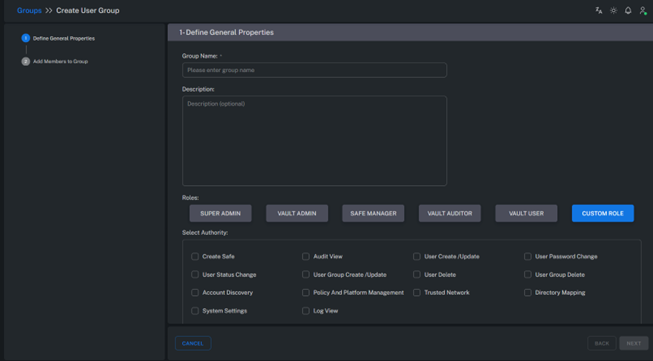
Features:
- Group name and description can be defined.
- Role permission levels can be set at the group level.
- Permissions are the combination of both user and group roles.
Example:
If a user is assigned the “Vault User” role individually but is also part of a group with the “Safe Manager” role,
the user will have the combined privileges of both roles.
Add Members to Group
Users can be added to groups.
These users may be locally created within ZT-PAM or synchronized from external directories such as Active Directory.
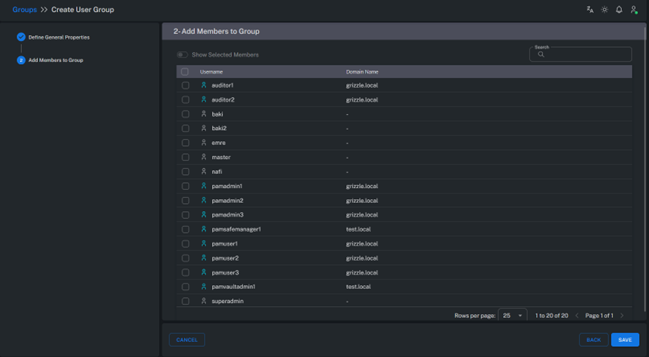
Usage Scenarios:
- Local users can be assigned directly within the system.
- External users (e.g.,
corp.local\user1) can be imported through Directory Mapping and added to groups. - Group members automatically inherit the permissions associated with their assigned roles.
Summary
The Groups module enables scalable and centralized user management.
Through groups:
- Permissions can be assigned to multiple users at once,
- Roles can be managed centrally,
- Active Directory integration ensures seamless user synchronization,
- Delegation and access control are simplified.
This structure is a key component of Grizzle ZT-PAM’s access control model, supporting the Role-Based Access Control (RBAC) principle.