Users
The Users page lists and manages all users who have access to the Grizzle ZT-PAM system.
Administrators can create, authorize, edit, or disable users directly from this interface.
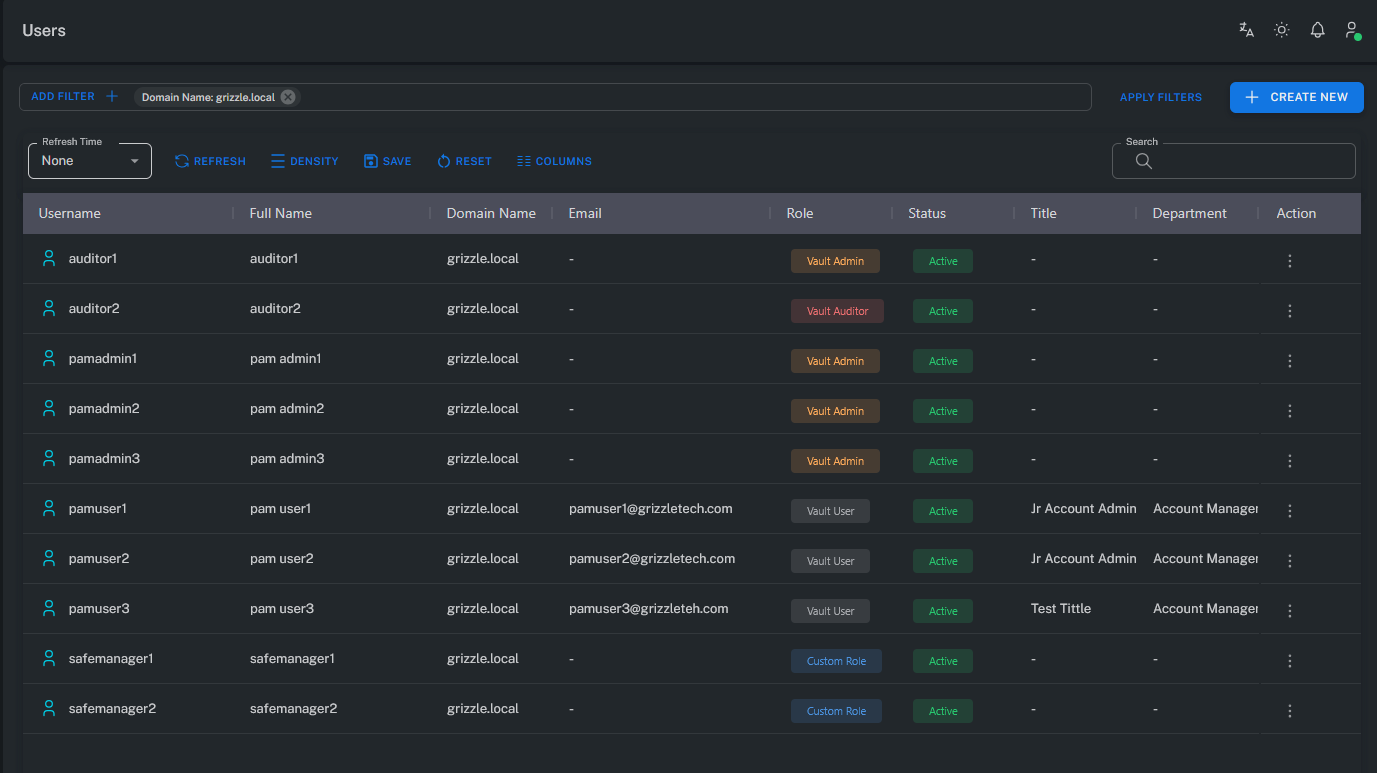
Each user is granted access permissions based on predefined roles, groups, and policies within the system.
This structure enables centralized and consistent user management across the organization.
Create User
Used to create a new user or edit an existing one.
The user creation process is completed step by step through configuration tabs.
Define General Properties
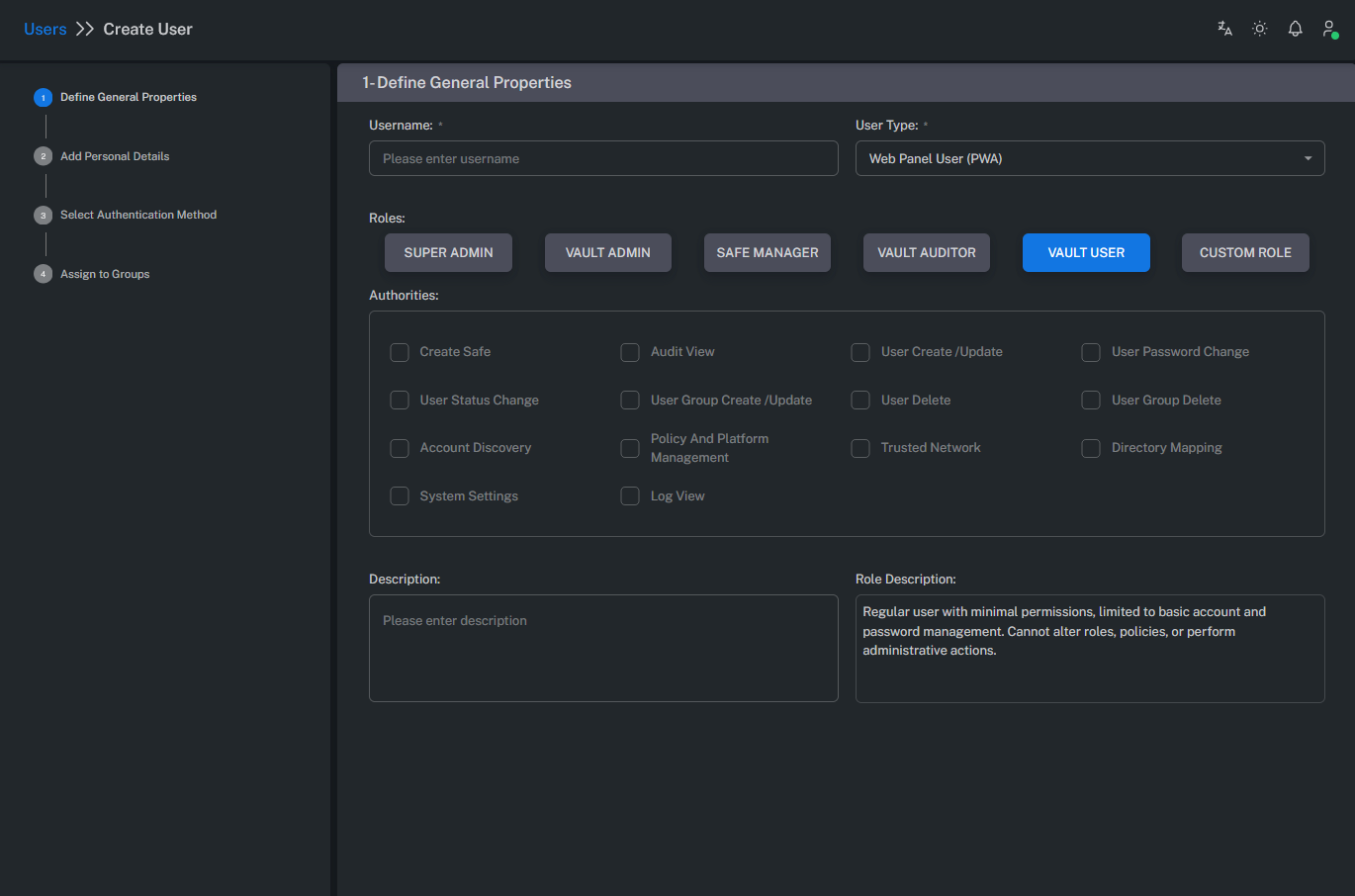
In this section, the basic user information is defined.
Both user creation and editing operations are performed from this screen.
User Roles
User roles define the permission levels and administrative scope within the system.
Each user can be assigned only one role, but roles can be customized using the Custom Role option.
Predefined roles are as follows:
| Role Name | Description |
|---|---|
| Superadmin | Full-privileged user with complete administrative control. |
| Vault Admin | Responsible for managing Safes, user groups, policies, and platform settings. Can audit logs and manage trusted networks but cannot delete users. |
| Safe Manager | Manages Safes and has limited administrative rights within system-level operations. |
| Vault Auditor | Provides read-only access to audit logs and system activities for monitoring and compliance. |
| Vault User | A standard user with minimal privileges — limited to basic account and password management. Cannot modify roles, policies, or perform administrative actions. |
| Custom Role | A role with customized permissions designed to meet specific organizational requirements, enabling granular access control. |
Note: The Custom Role option allows defining tailored combinations of permissions based on organizational needs.
Role Authorization
When the Custom Role option is selected, specific authorizations can be configured for the user.
These permissions define what management actions the user can perform system-wide.
| Authorization | Description |
|---|---|
| Create Safe | Permission to create Safes. |
| User Password Change | Allows changing other users’ passwords. |
| User Status Change | Enables or disables user accounts. |
| User Create / Update | Permission to create or edit users. |
| User Groups Create / Update | Permission to create or edit user groups. |
| Directory Mapping | Grants access to view and edit the Directory Mapping page. |
| User Delete | Permission to delete users. |
| User Group Delete | Permission to delete user groups. |
| Policy And Platform Management | Permission to view and modify Policy and Platform configurations. |
| Audit View | Can view Users and Groups pages but cannot update or delete records. |
| Log View | Grants access to view Logs and the Dashboard. |
| Trusted Network | Permission to configure Trusted Networks. |
| Account Discovery | Grants access to view and manage the Discovery screen. |
| System Settings | Grants access to view and modify Admin Settings. |
Add Personal Details
This tab defines personal access restrictions and security policies for the user.
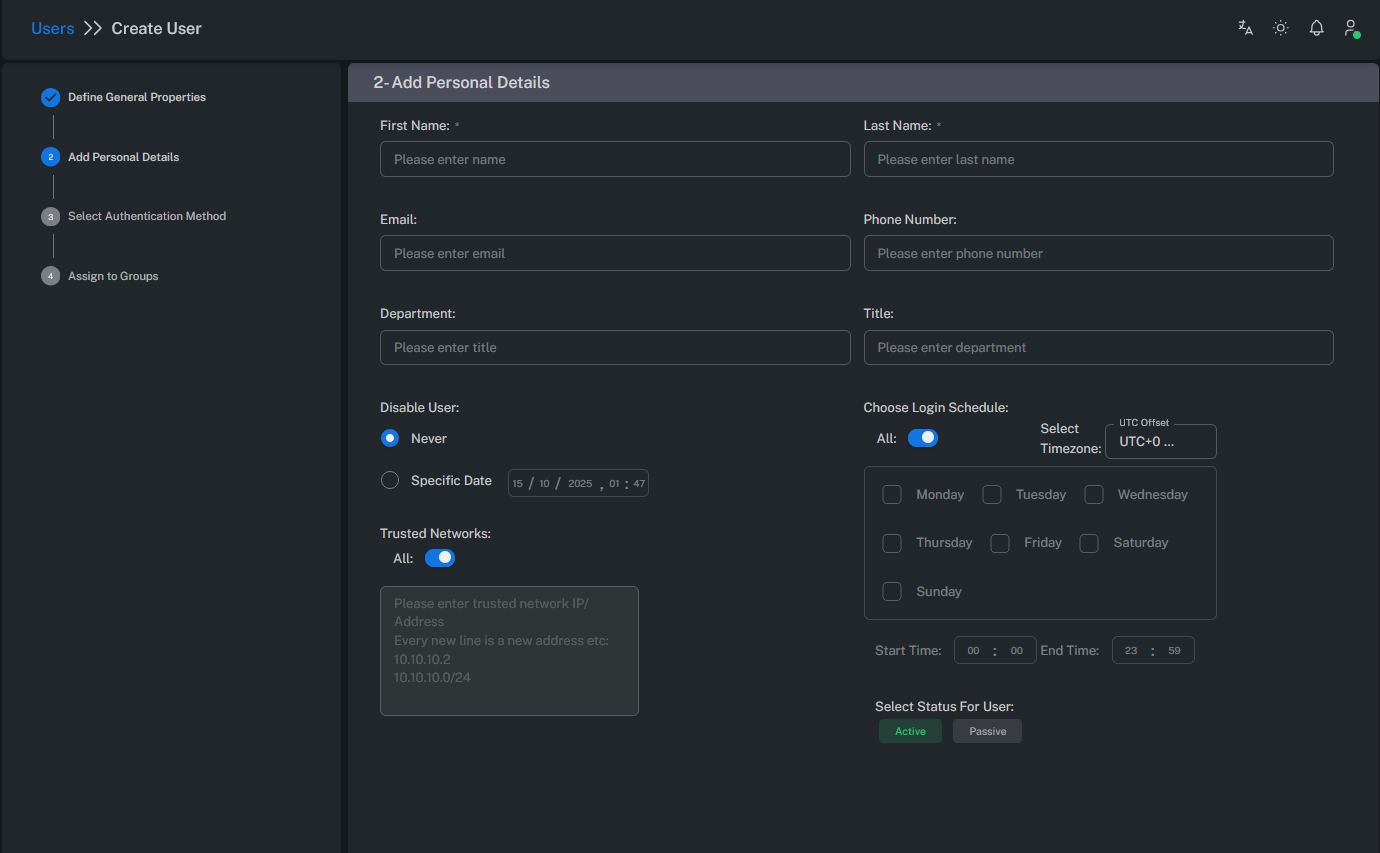
Disable User: Specifies the date when the user’s access will be disabled.
Choose Login Schedule: Defines the allowed login time range for the user.
Trusted Network: Restricts user access to specific IP addresses or subnets.
This feature is used to prevent unauthorized access from outside the corporate network.
Select Authentication Method
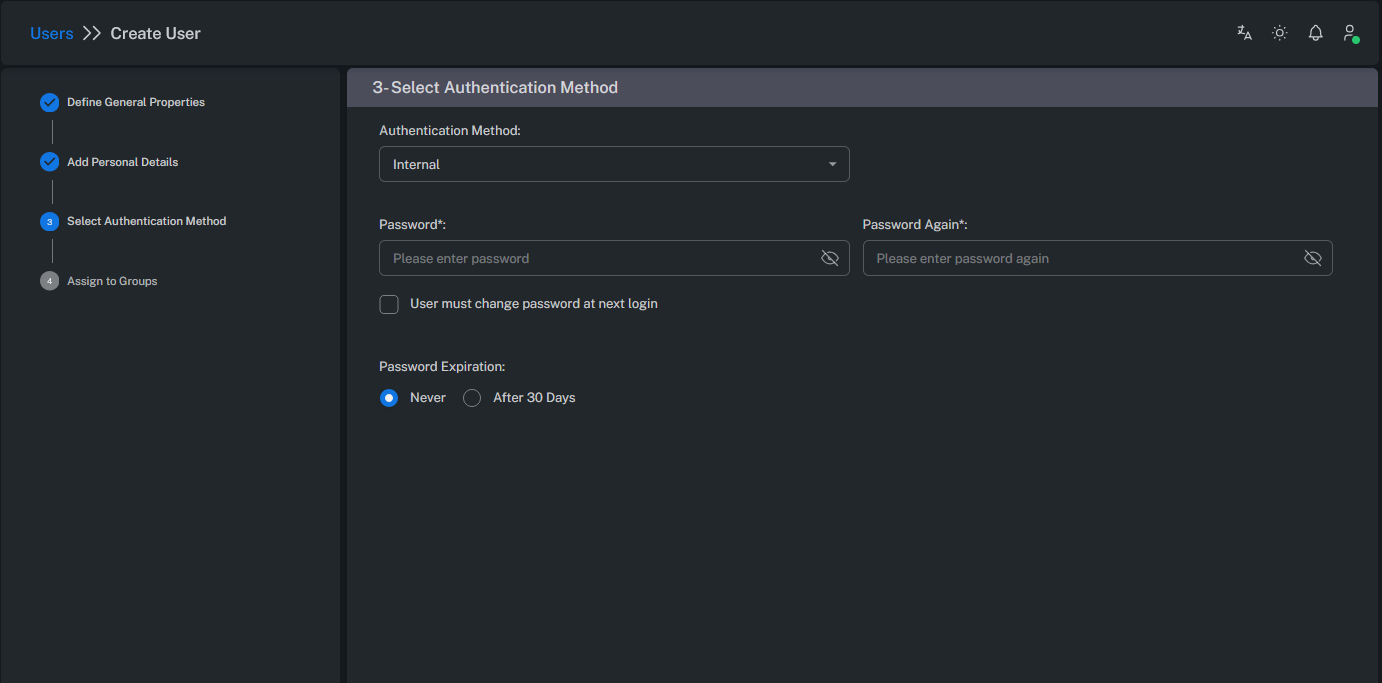
Authentication Method:
By default, the authentication method is set to Internal.
If RADIUS integration is configured, users can authenticate via the RADIUS server.
Password Expiration:
Specifies the validity period of the user’s password. When it expires, the user will be prompted to set a new one.
Assign To Groups
This section allows assigning the user to one or more groups.
Groups organize users based on roles and enable bulk permission management.
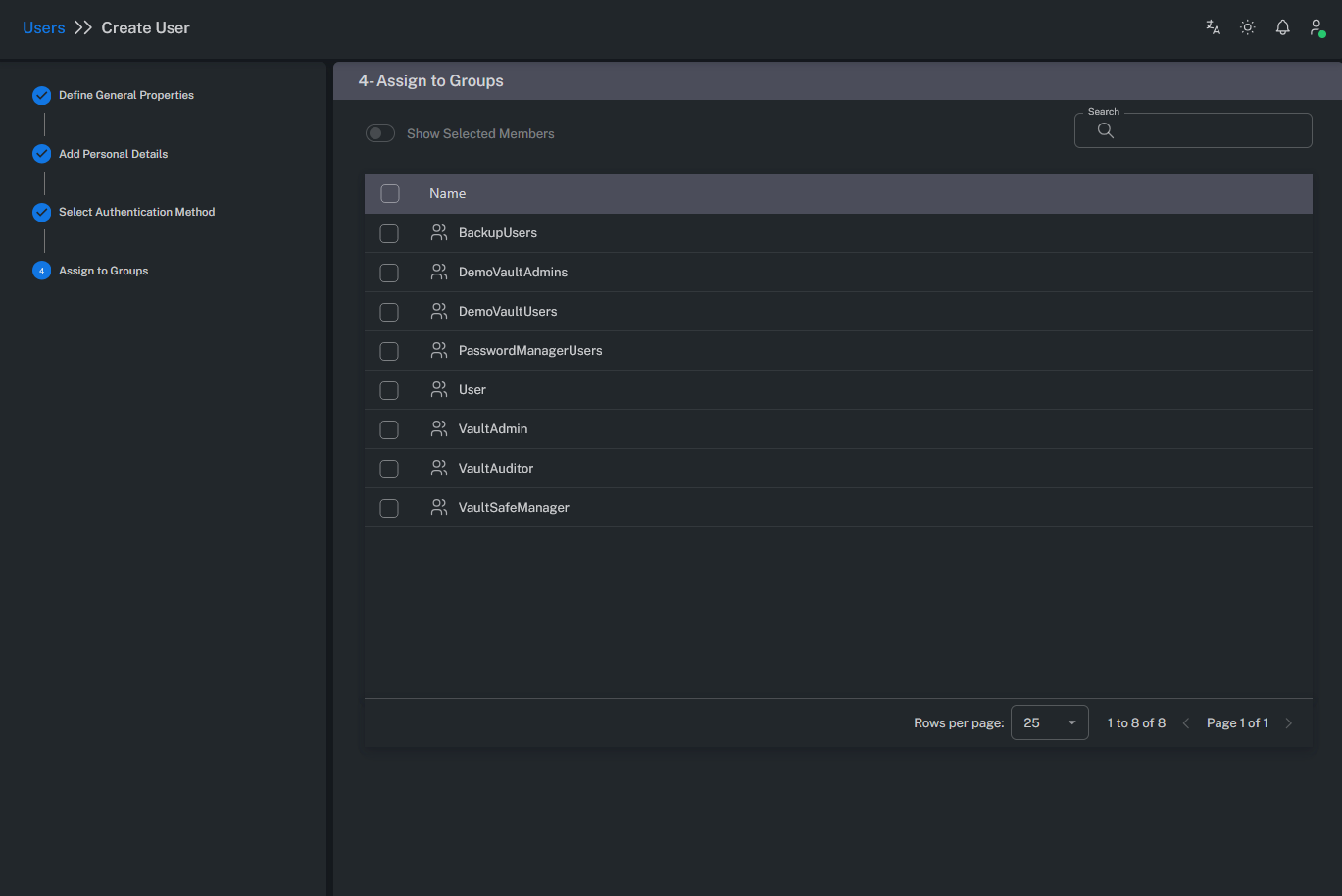
A user can belong to multiple groups.
All permissions from assigned groups are automatically inherited by the user.
Summary
With this structure, administrators can:
- Centrally manage all users,
- Assign permissions via roles and groups,
- Define authentication methods and access restrictions,
- Monitor user activity for auditing and compliance.
Grizzle ZT-PAM thus provides a single, unified platform for managing access security and identity governance.