Request
The Request feature ensures that any Copy, Show, or Connect action performed on an account is subject to an approval mechanism.
This means that the use of certain privileged accounts cannot proceed without a second person’s approval (Dual Control).
To enable this feature, Dual Control must first be activated from the Master Policy section.
Additionally, approval permissions for relevant users are configured through the Safe.
For more details, see the Master Policy and Safe Authorization sections.
Creating a Request
A user can create an approval request to access or use a specific account.
The request type depends on the intended operation (Copy, Show, or Connect) and is evaluated accordingly.
A request can:
- Be created before each use, or
- Be scheduled to remain valid for a specific time period.
If the request should be valid for a defined time window, the Timeframe field must be filled in.
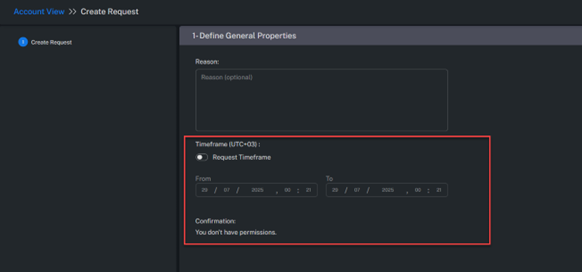
My Request
This section lists all requests created by the user along with their current statuses.
Each request remains in one of the following states during the approval workflow.
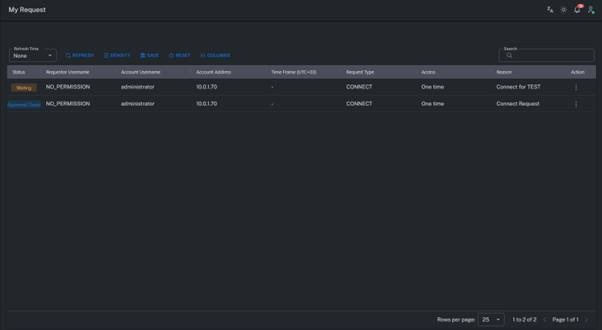
Status Types
| Status | Description |
|---|---|
| Waiting | Requests pending approval. |
| Approved | Approved requests that are not yet completed. |
| Approved Closed | Approved requests that have been completed (usage finished). |
| Rejected | Requests that have been denied. |
Incoming Request
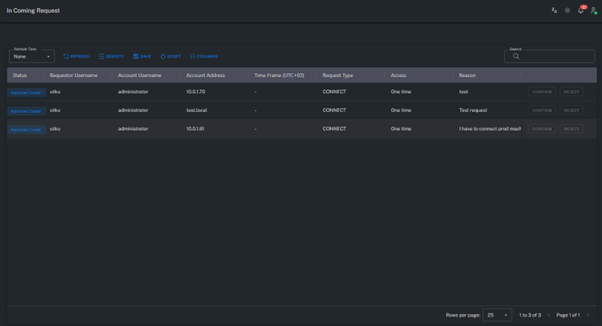
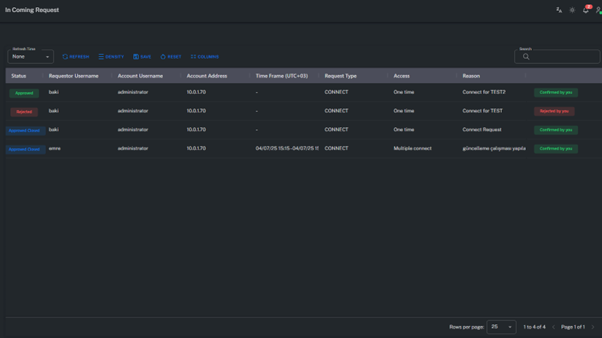
The Incoming Request screen displays requests where the logged-in user acts as an approver.
From this section, users can review, approve, or reject requests submitted by others.
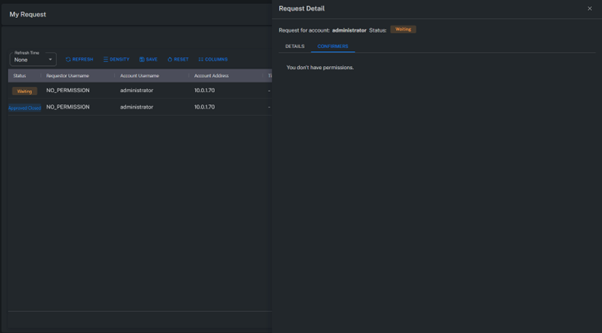
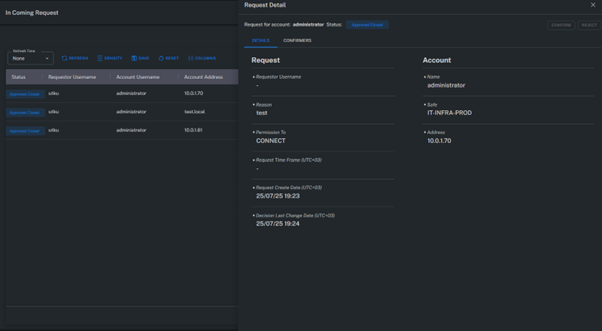
Request Detail
Displays all details related to a specific request, including the account requested, request type, requesting user, and list of approvers.
Approval Levels
The approval process can be configured with multiple levels.
Approval permissions at each level are defined within the Safe configuration screen.
| Level | Description |
|---|---|
| Level 1 | First-level approvers. They must have the “Dual Control Level 1” permission on the Safe. If names are not visible in the list, ensure the user also has “List Accounts” permission. |
| Level 2 | Second-level approvers. They must have the “Dual Control Level 2” permission on the Safe. If names are not visible in the list, ensure the user also has “List Accounts” permission. |
Summary
The Request feature enhances access security by adding an approval process for privileged account usage.
Through the Dual Control structure, critical actions can only be executed with authorization from designated approvers.
This process ensures both operational control and full audit traceability.