Automatic Password Management
Automatic Password Management is the system responsible for automatically rotating, updating, storing, and synchronizing the passwords of privileged accounts within an organization (such as admin, root, service, or database users).
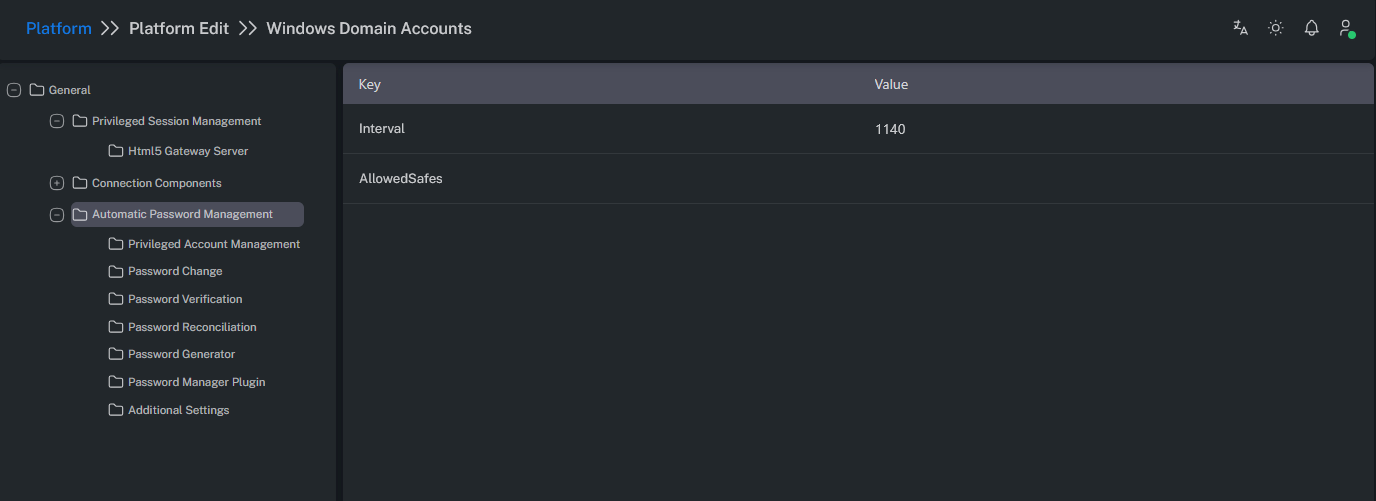
Parameters
| Parameter Name | Description |
|---|---|
| Interval | The waiting period (in minutes) before the Password Manager (CPM) rechecks and processes accounts under this platform. |
| AllowedSafes | Only Safes whose names match this regex will be managed by this platform. Defines which Safes are authorized for management through a regex or wildcard expression. |
Privileged Account Management
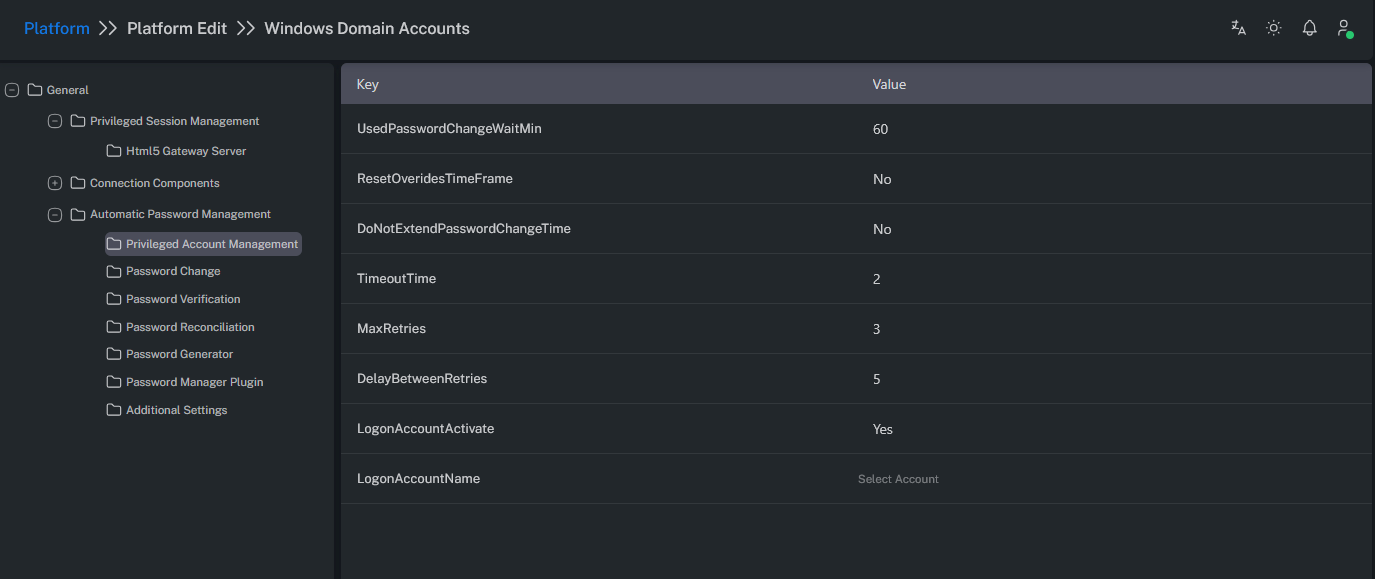
| Parameter Name | Description |
|---|---|
| UsedPasswordChangeWaitMin | Defines how long after usage the password should be changed (in minutes). |
| ResetOverrideTimeFrame | Determines whether the password should be changed immediately, regardless of the defined FromHour/ToHour time range. |
| DoNotExtendPasswordChangeTime | Prevents the password validity period from being extended beyond its defined duration. Recommended when One Time Password is active. Example: If a connection is made and UsedPasswordChangeWaitMin is set to 60 minutes, by default (set to No), the password will not be changed if a session is active. When set to Yes, the password will be changed regardless of ongoing sessions. |
| TimeoutTime | Defines how long the system should wait during the password change operation. |
| Max Retries | Specifies the number of retry attempts the CPM will make if a password change operation fails. |
| DelayBetweenRetries | Minimum delay (in minutes) between password management retry attempts. |
| LogonAccountActivate | Enables the logon account, allowing it to be used for authentication or management operations. Activates the logon account at the platform level. Note: If a logon account is defined at the Account level, it takes precedence. |
| LogonAccountName | Defines the default logon account name for accounts associated with this platform. Allows selecting a logon account from a dropdown list. Only one selection can be made. |
Password Change
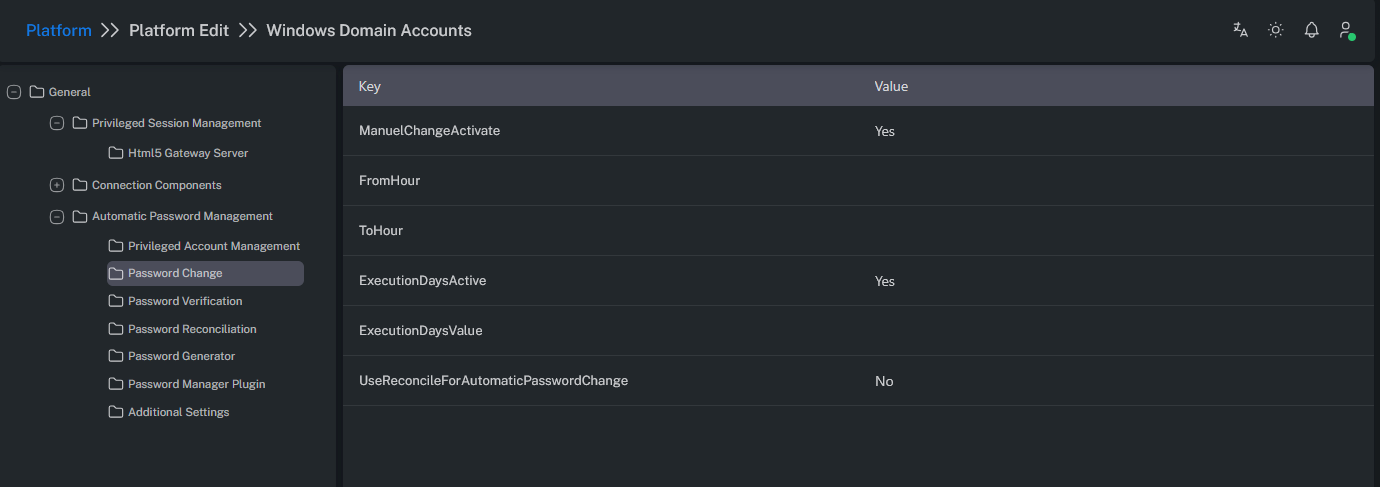
| Parameter Name | Description |
|---|---|
| ManualChangeActivate | Determines whether the password change process can be manually initiated. Enables manual password changes from the Account View screen. |
| FromHour | Defines the start time of the period during which the Password Manager (CPM) can manually or automatically change passwords. |
| ToHour | Defines the end time of the period during which the Password Manager (CPM) can manually or automatically change passwords. |
| ExecutionDaysActive | Enables limiting password changes to specific days of the week. |
| ExecutionDaysValue | Specifies which days of the week the Password Manager (CPM) can perform password changes. |
| UseReconcileForAutomaticPasswordChange | Enables performing a reconcile operation instead of a standard password change during automatic password rotation. |
Password Verification
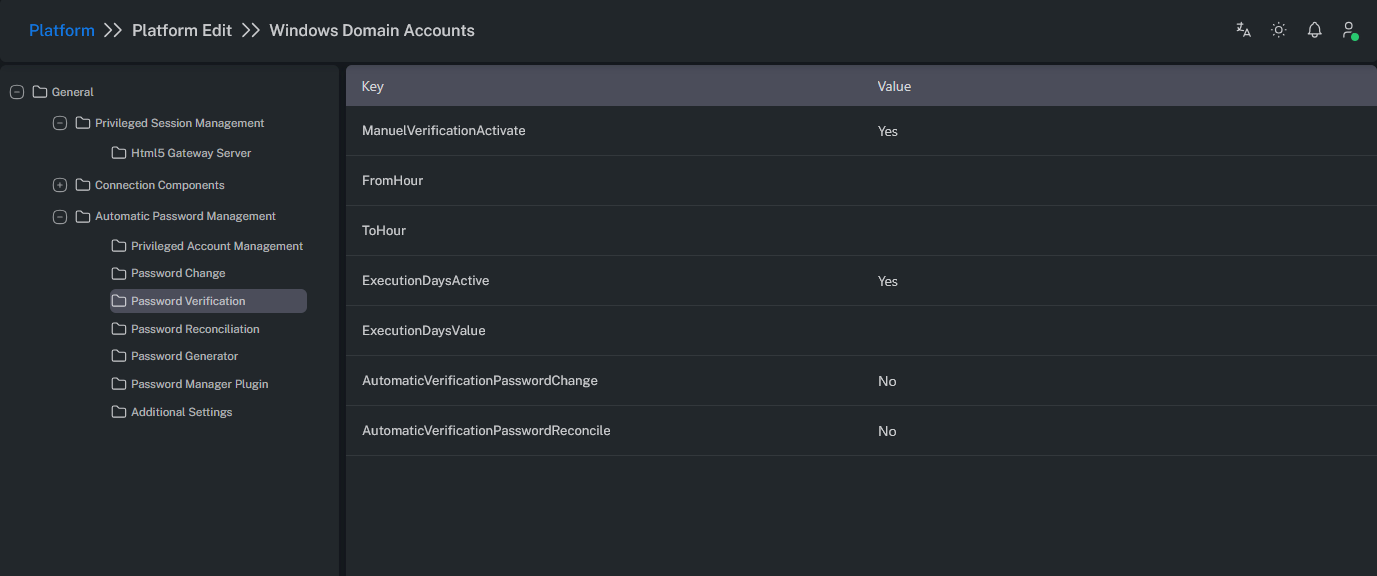
| Parameter Name | Description |
|---|---|
| ManualVerificationActivate | Determines whether the password verification process can be manually initiated. Enables manual verification from the Account View screen. |
| FromHour | Defines the start time for manual or automatic password verification by the Password Manager (CPM). |
| ToHour | Defines the end time for manual or automatic password verification by the Password Manager (CPM). |
| ExecutionDaysActive | Enables limiting password verification to specific days of the week. |
| ExecutionDaysValue | Specifies the days of the week when password verification can occur. |
| AutomaticVerificationPasswordChange | Automatically triggers a verification process after a password change. |
| AutomaticVerificationPasswordReconcile | Automatically triggers a verification process after a reconcile operation. |
Password Reconciliation
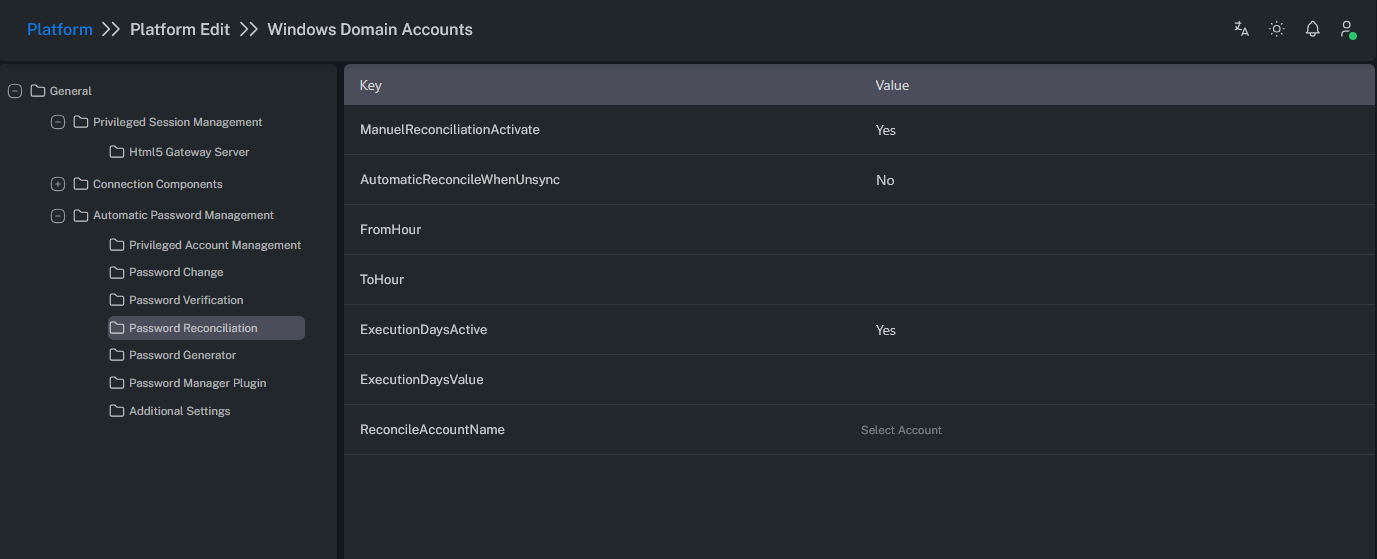
When a password is unknown, incorrect, or out of sync, a separate reconciliation account is used to reset the target account’s password from scratch.
| Parameter Name | Description |
|---|---|
| ManualReconciliationActivate | Determines whether the reconciliation process can be manually initiated. Enables manual reconcile from the Account View screen. |
| AutomaticReconcileWhenUnsync | Automatically performs a reconcile operation if a verification fails — i.e., when the Vault password and target system password do not match. |
| FromHour | Defines the start time for manual or automatic reconciliation operations by the Password Manager (CPM). |
| ToHour | Defines the end time for manual or automatic reconciliation operations by the Password Manager (CPM). |
| ExecutionDaysActive | Enables limiting reconciliation operations to specific days of the week. |
| ExecutionDaysValue | Specifies the days of the week when reconciliation can occur. |
| ReconcileAccountName | Defines the reconciliation account to be used for this platform. Note: If a reconcile account is defined at the Account level, it takes precedence. |
Password Generator
| Parameter Name | Description |
|---|---|
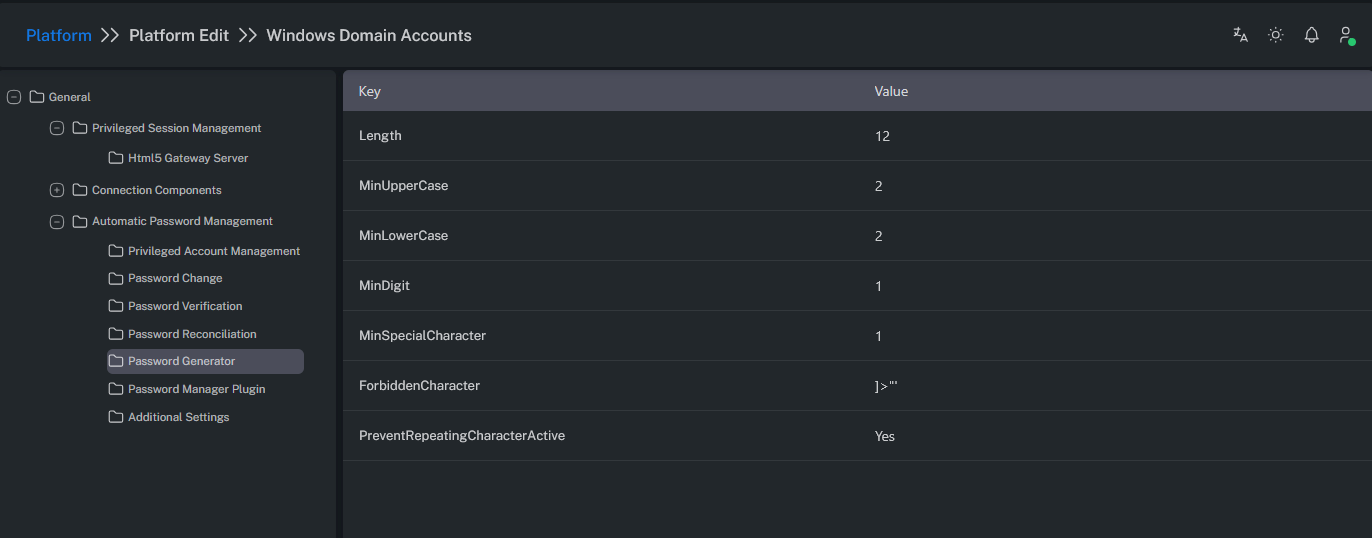
| Length | The total length of the password. |
| MinUpperCase | Minimum number of uppercase letters required. |
| MinLowerCase | Minimum number of lowercase letters required. |
| MinDigit | Minimum number of numeric digits required. |
| MinSpecialCharacter | Minimum number of special characters required. |
| ForbiddenCharacter | Characters not allowed in the password. |
| PreventRepatingCharacterActive | Determines whether repeated characters are allowed in the password. |
Password Manager Plugin
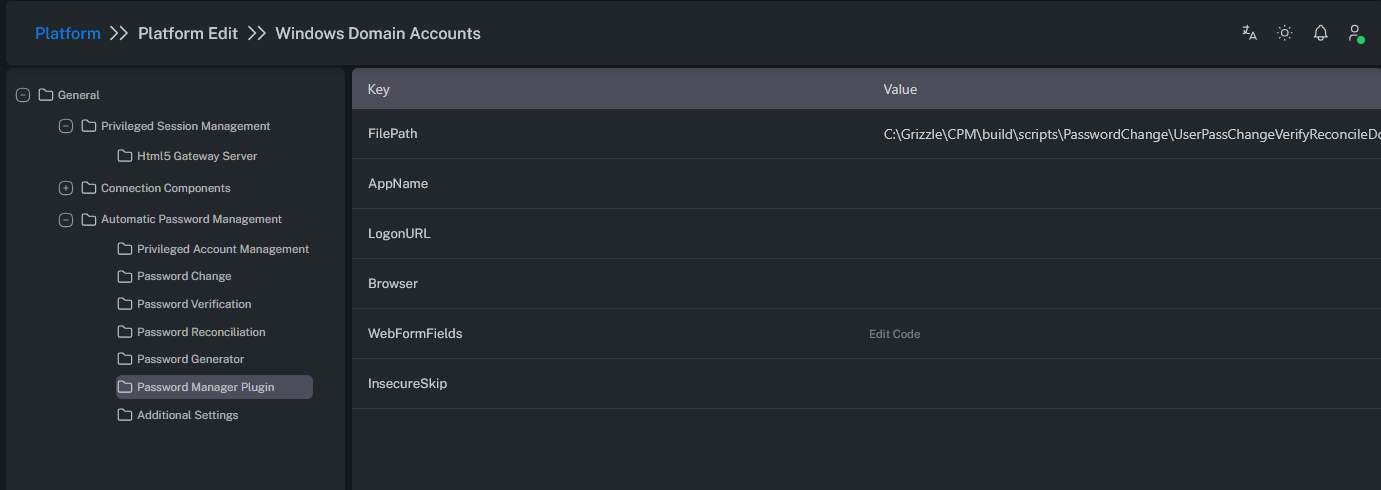
FilePath: Specifies the path of the executable file used in operations.
AppName: Specifies the name of the application to be used during password management operations.
Additional Settings
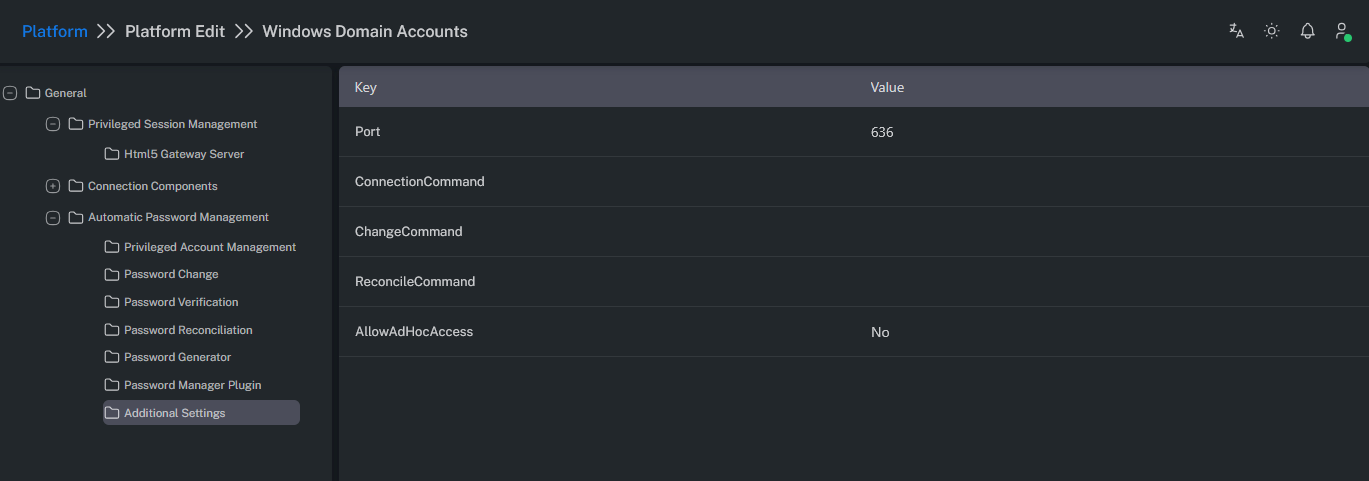
Port: Defines the port number used by the plugin application to connect to target systems.
ConnectionCommand: Specifies the command executed when establishing a connection.
ChangeCommand: Specifies the command executed to change a password.
ReconcileCommand: Specifies the command executed for reconciliation operations.
AllowADHocAccess: Enables domain users to connect to target systems using their domain credentials via AD-HOC when activated at the platform level.